
diados
Extension of the Day

diados

5.0 FREE
  • Screenshot 1

Description

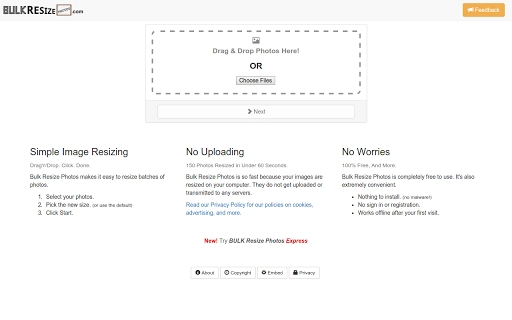
Bulk Resize Photos is easy to use. It supports drag'n'drop, so all you need to do is drag some images into it and you'll have smaller, lighter image files in just a couple of clicks. Bulk Resize Photos is fast & private. Unlike many other image resizers, your photos are not uploaded to the cloud. Everything is processed on your computer. Under typical conditions, it can resize about 150 photos per minute. On your computer, it might be even faster. Bulk Resize Photos works offline. After you have opened it for the first time, Bulk Resize Photos is capable of working perfectly even when you don't have any internet connection at all.

Guides & Tutorials for Bulk Resize Photos App for Chrome

How to install Bulk Resize Photos App for Chrome
  1. Click the Preview / Download button above.
  2. Once redirected, accept the terms and click Install.
  3. Wait for the Bulk Resize Photos App for Chrome download to finish on your device.
How to use Bulk Resize Photos App for Chrome

This software is primarily used for its core features described above. Open the app after installation to explore its capabilities.

User Reviews for Bulk Resize Photos App for Chrome 0

    No reviews found

Similar Apps


